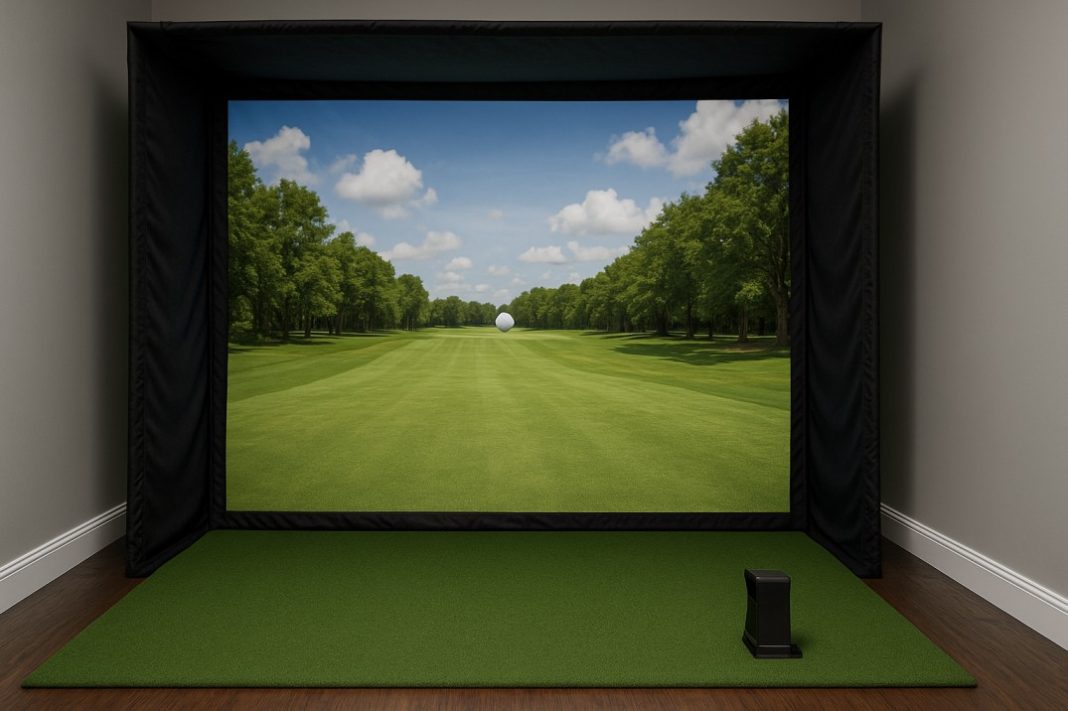

When golfers decide to bring a simulator into their home, one of the first questions they face is how to handle the ball flight. Launch monitors and software capture the swing, but without the right screen, the setup feels incomplete. That’s where a golf sim impact screen comes in. It’s the surface that takes the hit, projects the image, and creates the immersive experience that makes indoor practice feel like the real thing.
Why the impact screen matters
The impact screen does more than just stop the golf ball. It influences picture quality, durability, safety, and overall realism. A poor-quality screen might let too much light through, resulting in a dull or blurry image. Worse, it might wear out quickly, leaving holes or allowing balls to bounce back dangerously.
The right screen turns a simulator into a true practice tool. It handles repeated shots, displays crisp visuals, and provides a smooth, consistent surface. For golfers looking to use their simulator frequently, it’s arguably the most important piece of the puzzle.
Types of impact screens
There are a few main categories of screens available:
-
Basic fabric screens: Often made from polyester or similar materials. These are inexpensive and fine for casual use, but they may not last long under heavy play.
-
Commercial-grade screens: Built from thicker, multi-layered fabrics designed to handle thousands of high-speed shots. They provide a clear picture and strong durability.
-
Premium high-definition screens: Optimized for projection quality as well as impact resistance. These are common in professional installations and golf facilities.
Some golfers experiment with DIY options, but professionally made screens usually perform better because they are engineered for both durability and image clarity.
Key features to look for
When choosing an impact screen, several factors make a difference:
-
Durability: Look for heavy-duty fabrics with reinforced edges.
-
Image quality: Smooth, tight weaves display sharper projections.
-
Noise reduction: Thicker fabrics help reduce the sound of ball strikes.
-
Bounce-back resistance: A good screen absorbs energy instead of returning it toward the golfer.
-
Size and fit: The screen should match the enclosure or room dimensions without sagging.
Each golfer needs to balance these priorities with budget and space.
Installation and setup
Installing an impact screen requires tension on all sides to keep the surface smooth. Wrinkles or loose areas create distortions in the projected image. Most enclosures use bungee cords, hooks, or ties to secure the screen to a frame. Proper spacing behind the screen is also important. Leaving a few feet of air gap helps absorb the impact and reduces bounce-back.
The projector should be aligned carefully so that the image fills the screen without overshooting. Short-throw projectors are popular because they provide a large image in a small space.
Cost considerations
Entry-level screens might cost a couple hundred dollars, while premium models can run into the thousands. The price usually reflects fabric strength, size, and projection quality. For golfers who plan to practice daily, investing in a stronger screen saves money over time by avoiding frequent replacements.
On the other hand, beginners or casual users may be fine with a more affordable option until they know how often they’ll use the simulator.
Materials and alternatives
The materials used in impact screens often overlap with those found in industrial fabrics and coverings. Heavy-duty textiles, reinforced stitching, and durable finishes are common. For golfers exploring alternatives or supplemental coverings, it’s worth looking at suppliers that offer strong, flexible fabrics. Some companies specializing in protective coverings provide products adaptable for use as a golf sim impact screen. These can be useful for temporary setups or budget-conscious builds.
Maintenance and care
Even the strongest screens wear down over time, especially if hit repeatedly in the same spot. Rotating the screen or flipping it upside down spreads the impact across different areas. Regular cleaning prevents dust build-up, which can dull the projected image.
If small tears or holes appear, patching kits or reinforced tape can extend the life of the screen. Replacing worn-out bungees or fasteners also keeps the setup secure.
The growing role of simulators
Golf simulators aren’t just for professionals anymore. Families use them for entertainment, fitness centers offer them for variety, and even schools incorporate them into athletic programs. With so many users hitting shots daily, the demand for reliable impact screens continues to rise. Manufacturers now compete to produce screens that last longer, look sharper, and perform better in small spaces.
The impact screen is the centerpiece of a home golf simulator. Without it, the technology feels incomplete. With the right screen, the experience becomes immersive, safe, and rewarding. Whether choosing a budget-friendly option or investing in a premium high-definition screen, the goal is the same: to create a practice environment that delivers real results.

